Creating an Email Autoresponder
-
Log in to DirectAdmin.
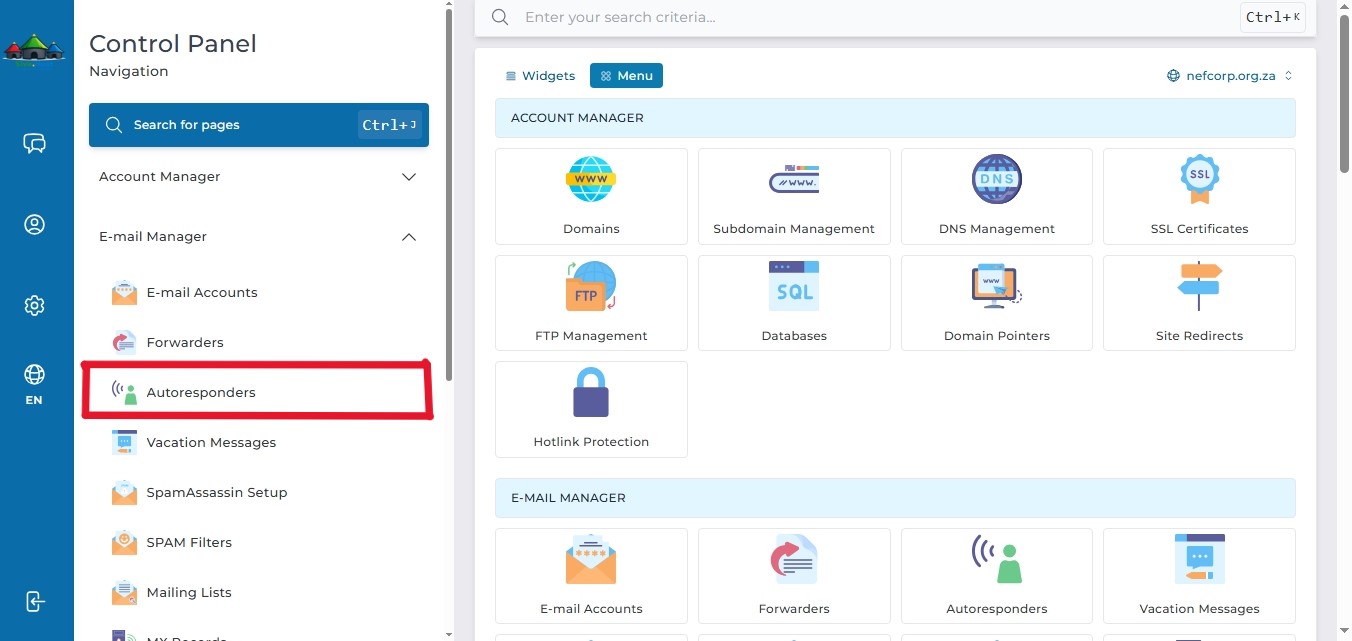
- In the left panel menu, click the dropdown arrow next to "Email Manager", then select "Autoresponder".
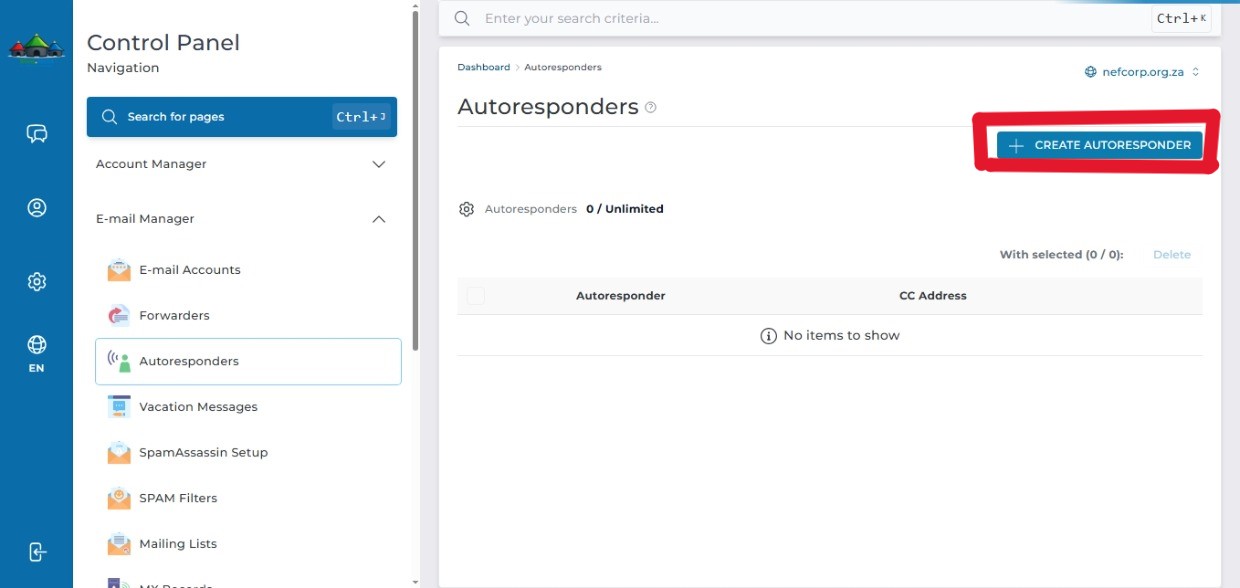
- Click "Create Autoresponder" on the right-hand side.
- Fill in the following details:
Respnder Address
Subject prefix
Content type
Reply frequency
Responder Message
Save the autorespond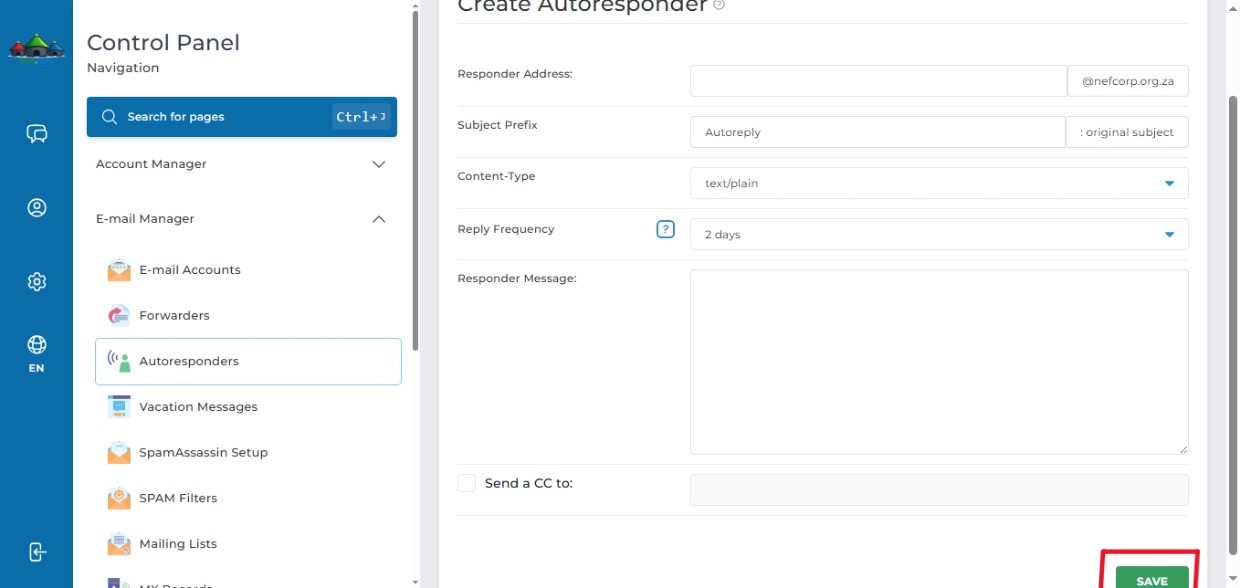
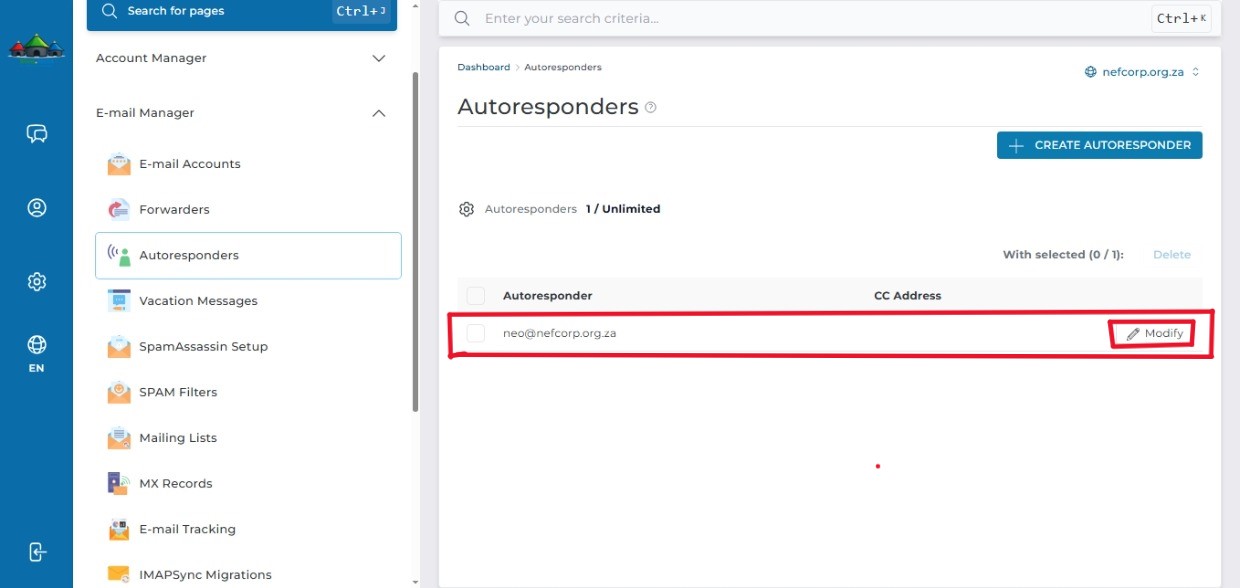
- Your email account will appear under Autoresponders to show that it been successfully created.
Click Modify to modify your Autoresponder (Optional)